Case Study
OCM Digital Sales Room
Client Portal UI/UX Design, Oracle
The Ask
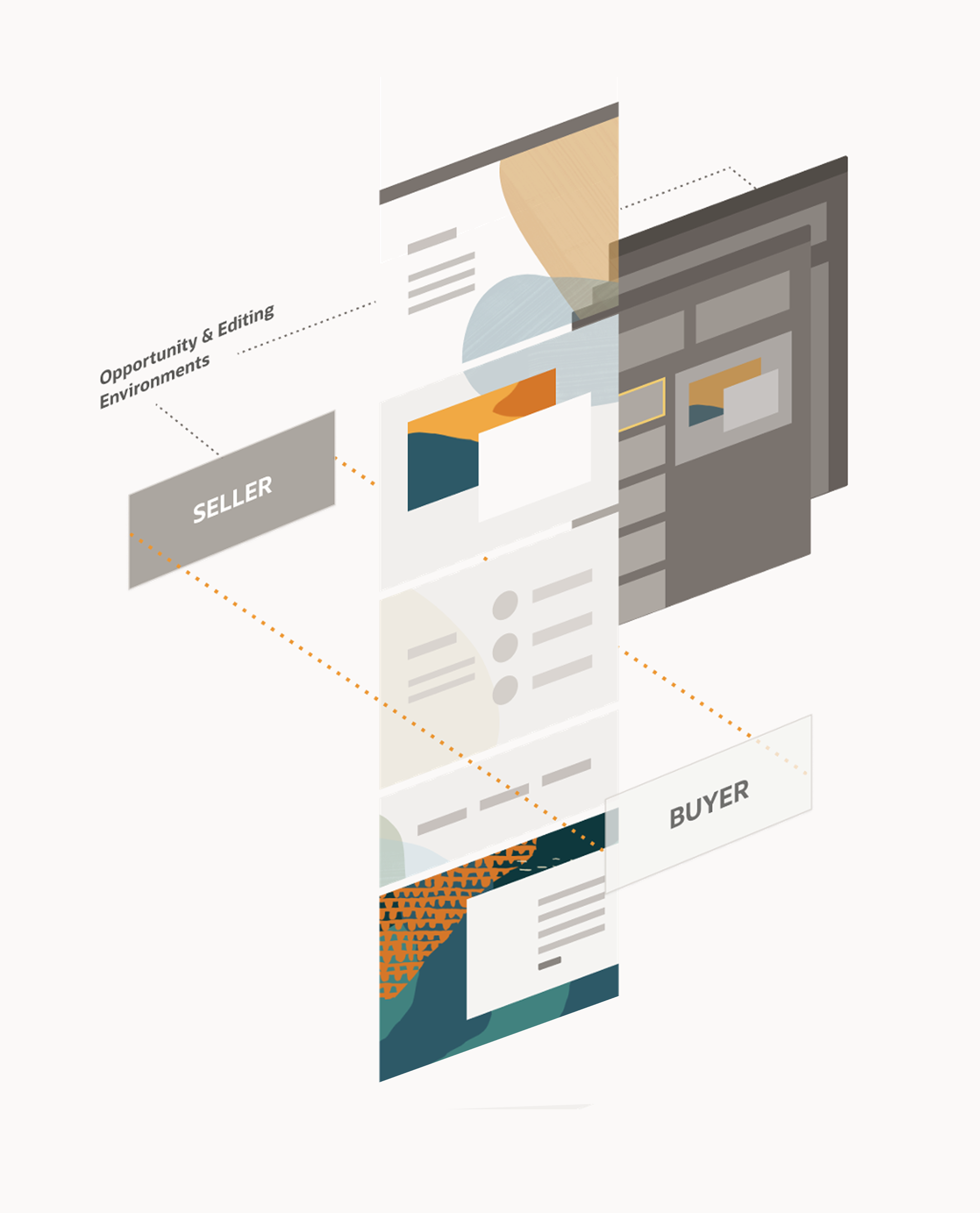
How do we create a collaborative, secure space
that enables the sales team and prospective customer (buyer) to share and access relevant content,
ease communication and provide live status
throughout the sales process?
Problem
Difficulty identifying the best available content
No metrics to track the success of shared content
No shared collaboration space to manage content
Emailing large attachments makes it hard to track
No single source of truth for the state of the deal
“As a seller, I need to efficiently put together a compelling story for my current opportunity and easily share it with my prospect to close the deal quickly and successfully!”
Solution
We created a secure, shared, templated environment in which both the seller and prospect can define their needs quickly and personalize how their content is presented – sharing assets and tracking the progress of the deal in real-time throughout the duration of the sales cycle.
Requirements
Build a set of scalable component modules that meet the needs of all phases of the sales process, regardless of industry or scale of the prospect
Establish a friendly and familiar environment that reflects the tenets of the Redwood Design System
Provide co-branding opportunities for a targeted, personalized experience
Create an action leading to a single go-to location for each opportunity
Offer two options for DSR creation:
Private/Secure DSR - internal collaboration system through document and folder sharing
Public DSR - available to anyone with URL
Sales Reps need relevant material based on the customers pain points and goals, to address their needs and provide better and personalized solutions.
Sales Reps need to rapidly identify and translate their customers pain points and goals into potential solution proposals so they can have more time to sell.
Sales Reps need to leverage the key information they already have on the account so they can quickly spin up sales material for their customers
The Seller
The Seller wants a secure, branded, immersive online sales collaboration workspace that replicates the benefits of an in-person engagement.
They want to easily share compelling and relevant sales material with their Buyers.
The seller-curated content is assembled around a prospect’s region, industry, paint points, business goals, and potential products of interest – helping to advance opportunities through the pipeline.
Sellers want to understand Buyer engagement with content and track the health of an opportunity. Sellers also want ways to identify high-return, previously successful sales content that will resonate with similar prospects.
The Buyer
The Buyer wants a more personalized buying experience that includes a secure space to share project content and negotiate with Sellers in real-time.
They want a centralized area where they can assemble project content, self-identify key stakeholders and in a frictionless way invite them to collaborate.
At their own pace, the Buyers want one place to connect with subject matter experts, evaluate products and ask questions.
Designing the DSR Microsite
Create a unique experience for each set of needs.
Microsite Evolution, Customized Configurations
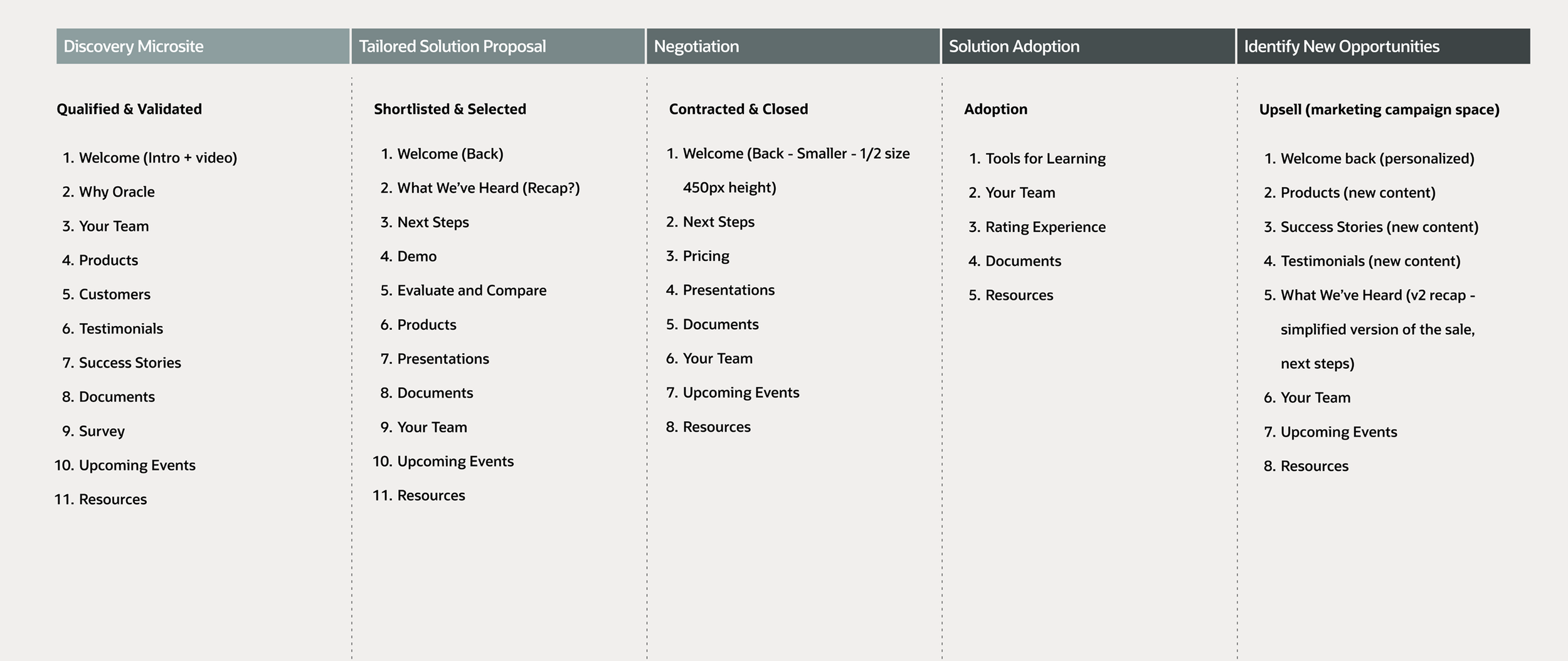
Relevant content modules as they relate to each step of the evolving stages of the relationship.
A Warm Welcome
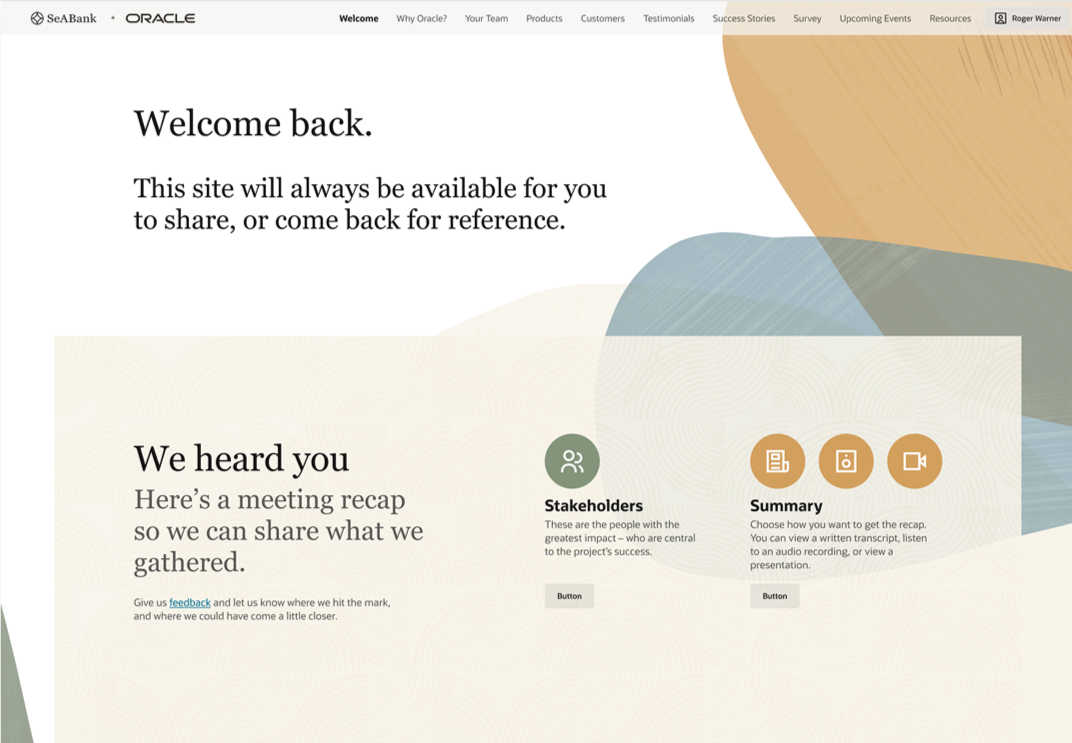
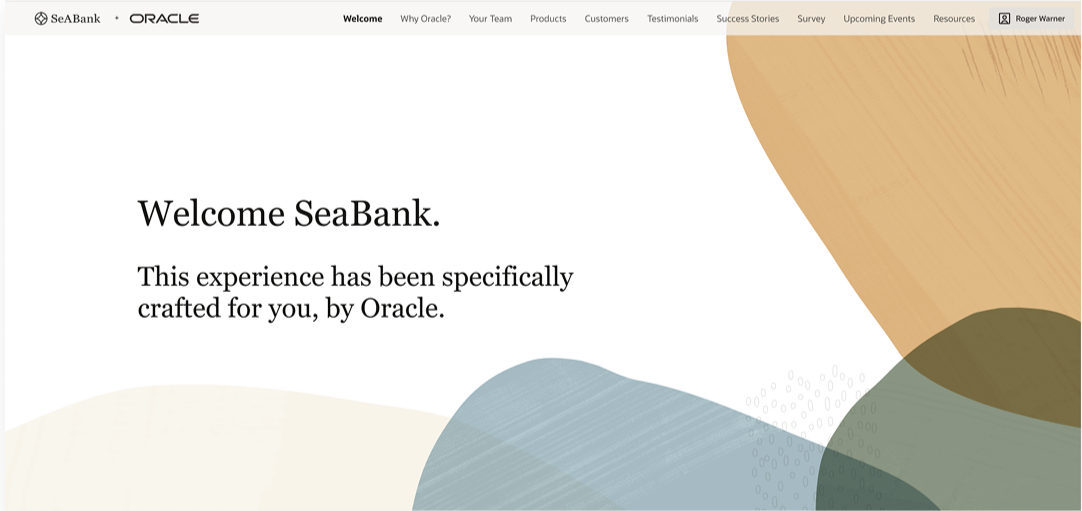
Custom Welcome screens present different high-level messaging. Wether you are new to the DSR or a returning contributor, allowing for a targeted and relatable message at each stage, creating a more organic engagement.
What you need - when you need it.
Multiple configurations for each step of the sales process. Featured below are the Discovery and Solution configurations. Though there are default configurations, modules can be swapped or repositioned as needed, giving the seller and buyer greater control of their communication.
Editing Experience
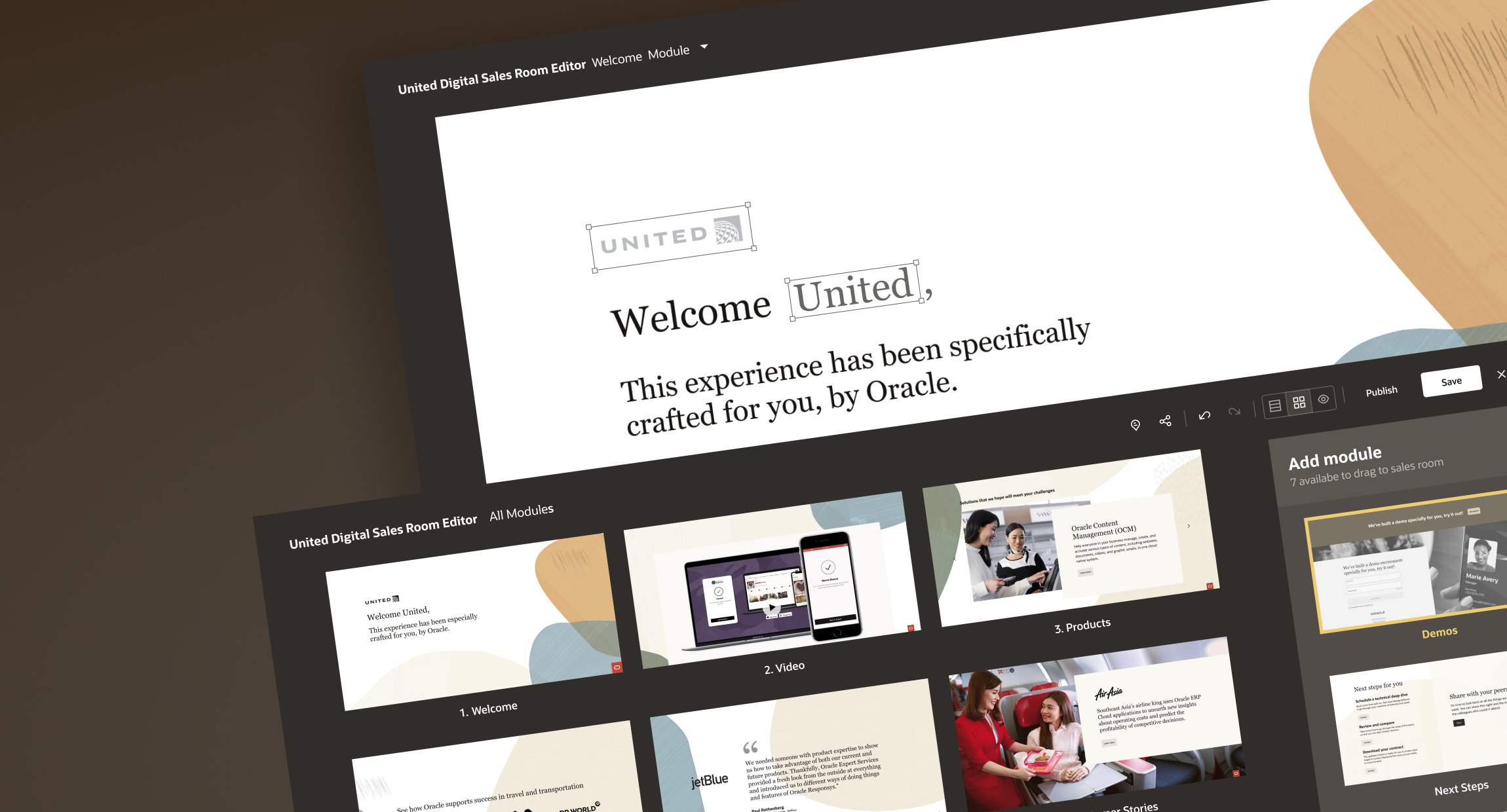
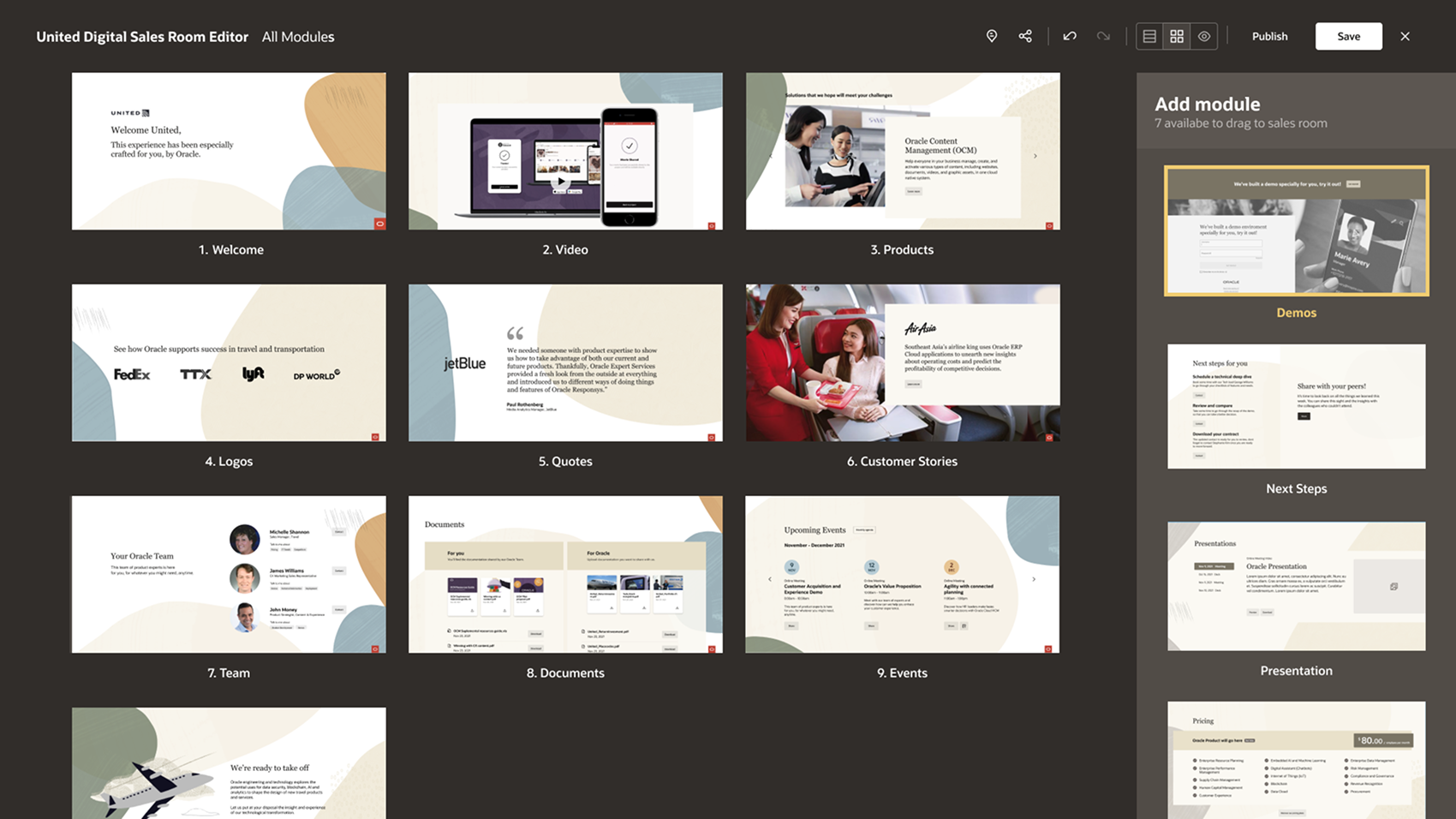
Customize your environment – clean, simple WYSIWYG interface.
We created a simple dashboard experience allowing the builder of the microsite the opportunity to quickly modify the sequence and configuration of the modules, expediting the creation process while presenting the exact content required to respond to rapidly changing needs.
By displaying larger thumbnails along with clearer overview of the sequence of the modules, the microsite owner can more easily see how the modules will appear with real content.
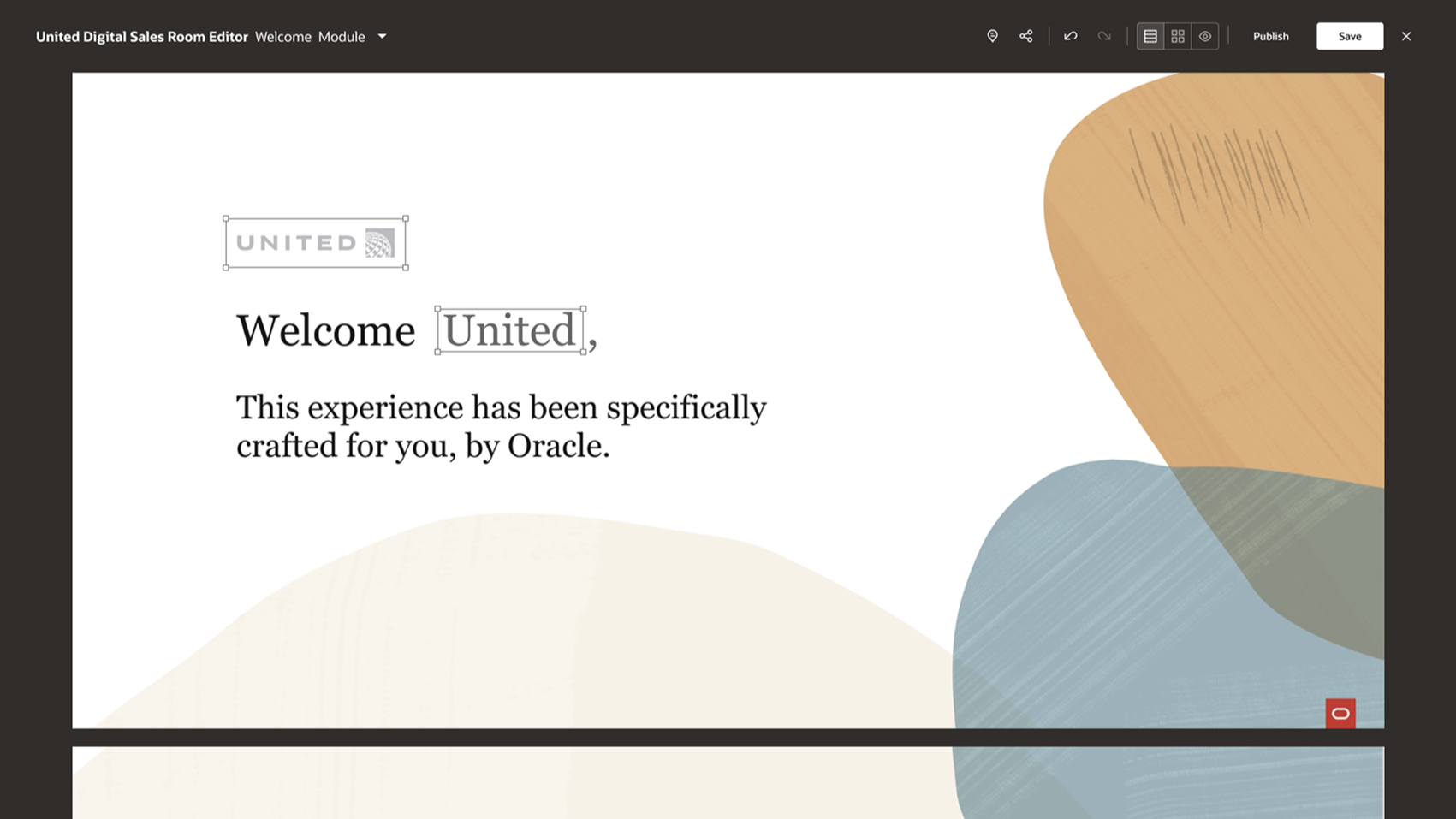
Rapid Editing
Configuring the Welcome module to accommodate a new prospective customer quickly – inserting company logo and name.
Co-branding Design System
Providing Ownership
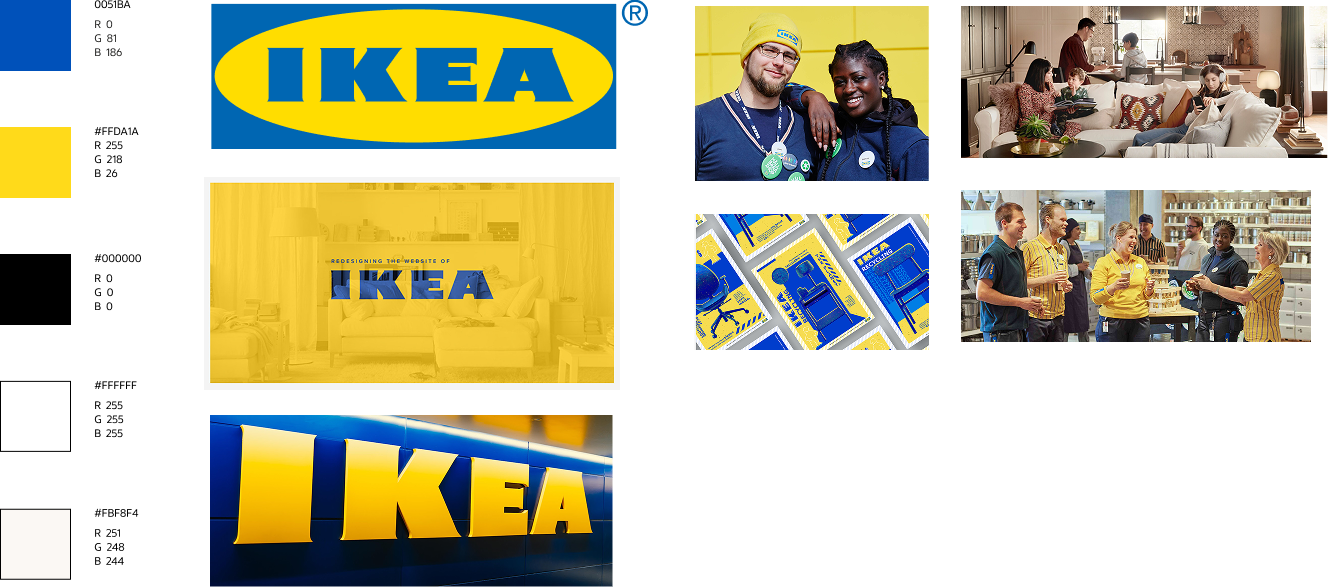
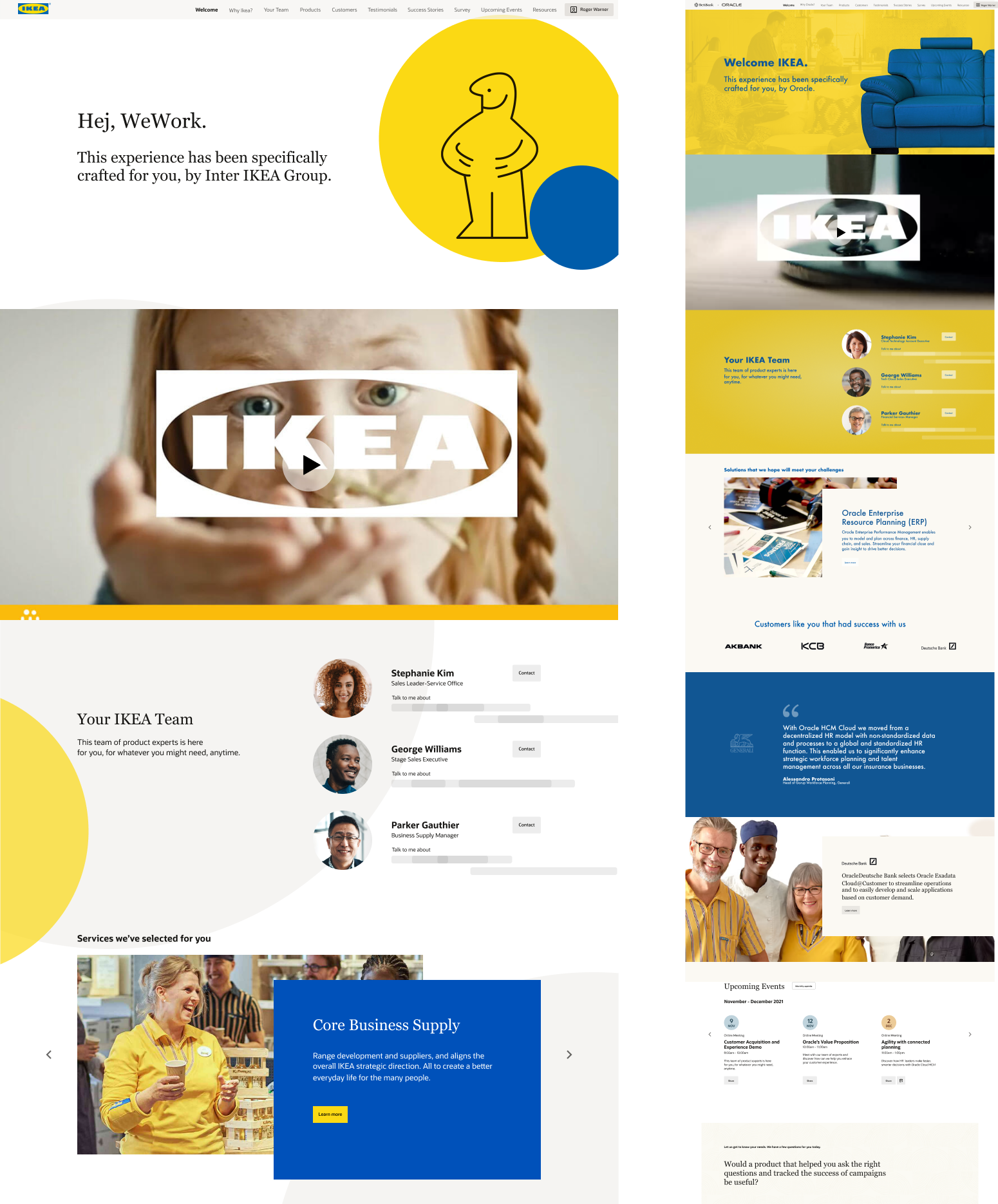
To provide a true branded feel, we created a system for customers to incorporate specific elements of the DSR interface, allowing for logos, brand color palettes, visuals elements and proprietary imagery, etc. while still retaining the overall integrity of the structure and functionality of the microsite.
In this example with Ikea we conducted a survey of their common branding elements as well a their corporate guidelines to inform the usage within the existing modules. Once the modules were populated with Ikea’s visual elements, we were able to easily configure a thoroughly branded experience.
Smooth Sailing ( ...scrolling)
Parallax Construction
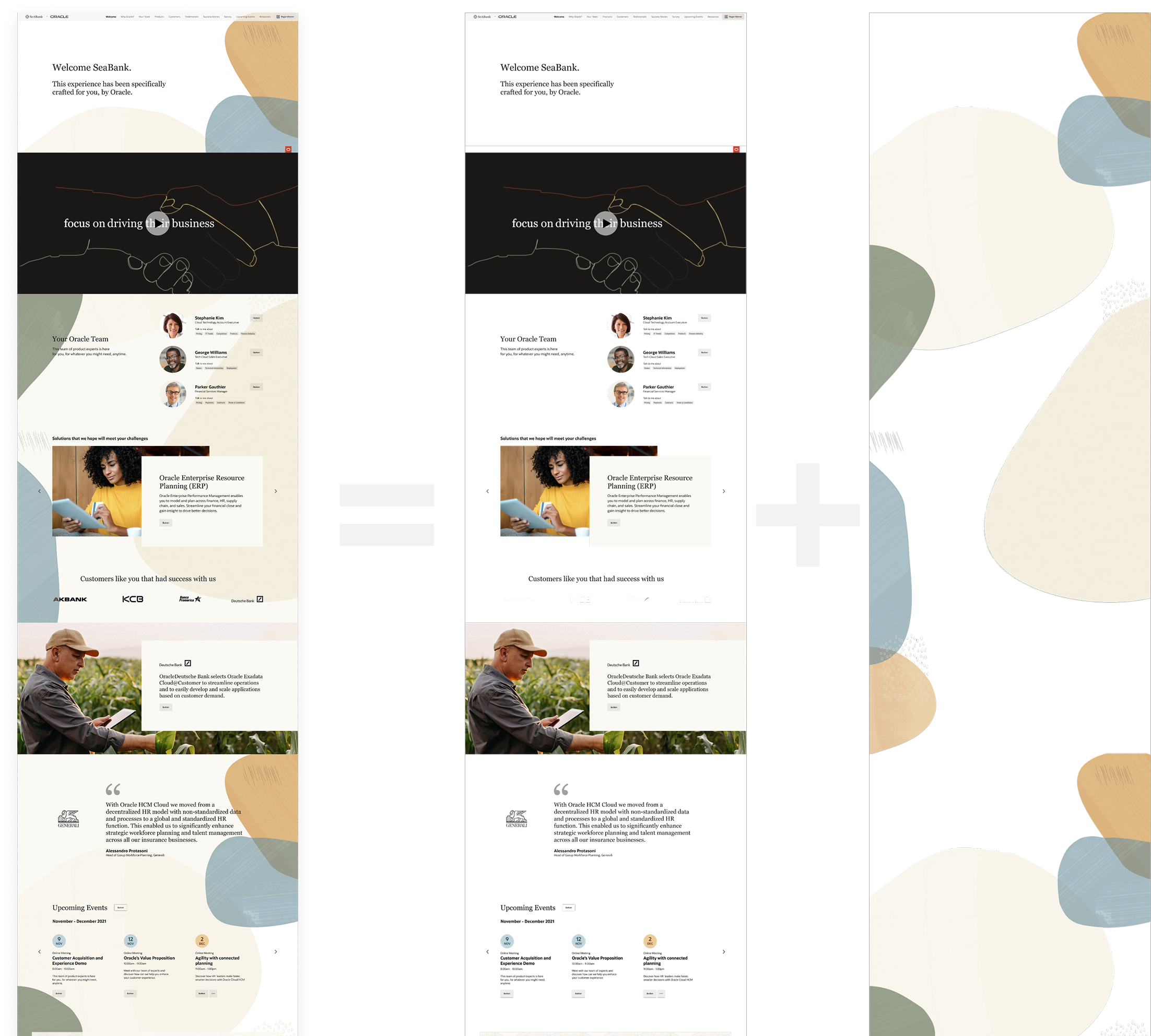
To create a more dimensional and fluid interaction and series of micro-interactions, we created a multi-level structure consisting of content modules, branded shapes and full color background. This helped both promote the use of the modular content structure and an modern experience for the user.
Complete Parallax Experience
Finished DSR microsite alongside the two separate levels – content and shapes.
My role leading the visual design system for the Digital Sales Room faced many logistical and technical challenges. Research-based capturing of genuine user needs provided valuable insights to build a system that captured the elegance of Redwood with extensibility and flexibility to craft a core structure that helped our sales team nuture relationships across the entire sales cycle.